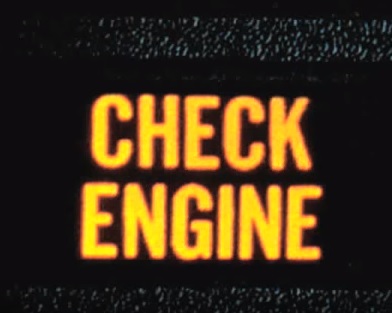
Reading engine codes is an easy DIY job once you have a basic OBD2 scan tool.
An OBD2 (OBD-II) code reader plugs into the 16-pin port under the dash on most 1996 and newer cars and light trucks. It talks to the engine computer (ECM/PCM/ECU) and shows stored diagnostic trouble codes (DTCs).
For a beginner, you mainly need four things: read codes, clear codes, view freeze frame, and check I/M readiness (emissions monitors). Live data is a nice bonus, but you do not need a shop tablet to turn a check engine light into useful information.
Scan tools come as simple cable handhelds, Bluetooth dongles that use a phone app, or USB adapters that work with a laptop. Prices are much lower than the old dedicated computers shops used years ago.
Cheap no-name ELM327 clones still flood Amazon. Many work for basic codes, but quality varies a lot. Stick with known brands and read recent reviews before you buy.
Below are solid beginner picks that are still easy to find in 2026.
What Should a Beginner Code Reader Do?
- Read and clear check engine / powertrain DTCs
- Show freeze frame (sensor snapshot when the code set)
- Check I/M readiness for emissions / smog readiness
- Work on 1996+ OBD2 vehicles (U.S. market)
Most budget readers are engine / powertrain only. They will not pull ABS, airbag (SRS), or transmission module codes unless the tool specifically says it does enhanced diagnostics.
Cable Handheld vs Bluetooth Phone Scanner
A cable handheld powers from the OBD2 port and has its own screen. Plug in, turn the key on, and read the code. No phone or app required.
A Bluetooth unit uses your phone as the display. The app is usually easier to read and share, but you need a charged phone and a reliable app from a real brand.
If you want grab-and-go with no phone hassle, buy a wired handheld. If you already use a smartphone for everything and want repair reports or ABS/SRS on supported cars, a good Bluetooth tool is worth it.
- MOTOPOWER MP69033

The MOTOPOWER MP69033 is a simple yellow handheld for first-timers who just need to read and clear a check engine light.
It is a standalone unit, so you do not need a phone or laptop. Plug it in, turn the key on, and it shows the DTC with a built-in code lookup.
It also does freeze frame, live data, I/M readiness, and VIN info. It is engine OBD2 only — not ABS or airbag.
- ANCEL AD310
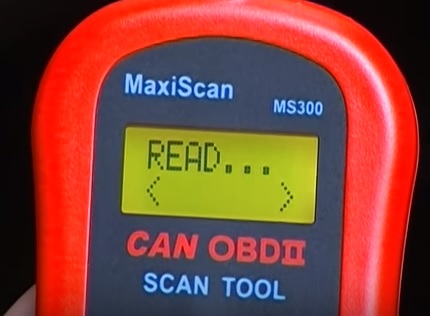
The ANCEL AD310 is a classic budget wired reader that has been a beginner favorite for years.
It reads and clears codes, shows freeze frame and live data, and checks readiness monitors. No batteries — it powers from the OBDII port.
Like other entry-level tools, it is for the check engine / powertrain side of OBD2, not ABS or SRS.
- LAUNCH CReader 4001
The Launch CReader 4001 is still a good easy-to-use color-screen handheld for DIY work.
It covers the common beginner needs: read DTCs, clear DTCs, live data, freeze frame, vehicle info, and I/M readiness. The on-screen code definitions help when you do not want to look everything up on a phone.
- ANCEL BD310
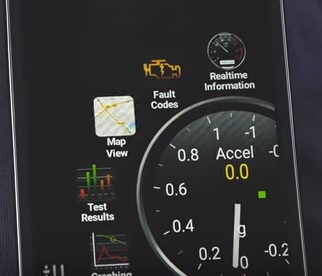
The ANCEL BD310 is a modern pick if you want one tool that works as a wired handheld and also over Bluetooth to a phone app.
You can read and clear codes on the unit itself, or use the free app for live data and extra screens. It covers the full set of standard OBD2 engine modes for most 1996+ vehicles.
It is still engine-focused — not ABS/SRS — but the dual wired/Bluetooth setup is handy for beginners who are not sure which style they will like.
- BlueDriver Bluetooth Pro
Using a smartphone to read engine codes is popular, and BlueDriver is a better path than a random ELM327 dongle.
It plugs into the OBD2 port and talks to the free BlueDriver app on iPhone or Android. You get code reading, live data, and repair reports. On supported makes it can also reach ABS, SRS, TPMS, and transmission codes — something cheap engine-only readers cannot do.
No subscription fee for the core features. Skip no-name Bluetooth clones if you want the app and diagnostics to stay consistent.
If you prefer a laptop instead of a handheld or phone, see How To Use a Laptop as a OBD-II Scanner.
Summary
Finding a problem on a 1996 and newer car or truck is not something only a shop can do.
Start with a known-brand OBD2 reader that can read codes, clear codes, show freeze frame, and check readiness. Once you have the code, look it up and read how other owners fixed the same DTC before you throw parts at it.
As always, read recent Amazon reviews and match the tool to your vehicle and your phone (if it is a Bluetooth unit).
*This site contains affiliate links for which a commission earned.