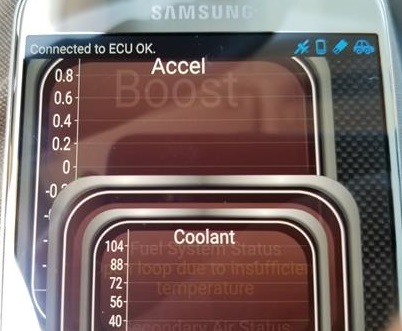
OBD2 Bluetooth WiFi dongles have become very popular since they are low-cost devices and work well.
There are many to choose from with most using the Torque App or similar with a smartphone.
One of the more frustrating things is using one and getting no Bluetooth or WiFi Device Selected error code.
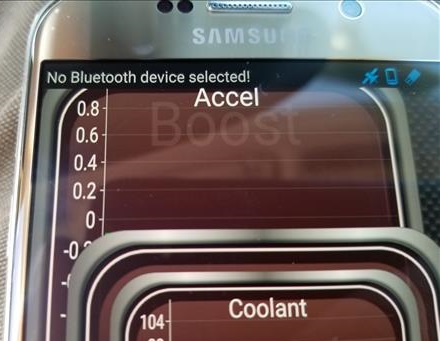
Below are the steps to connect to a WiFi OBD2 Adapter using the popular Torque App.
How To Connect an OBD2 WiFi Dongle to an Android Device
- Plug in the OBDII dongle into the car or truck OBDII port and turn the key to the On Position.
- Go to WiFi Settings at the top of the screen pull down menu find the Adapter being used, select it to connect.
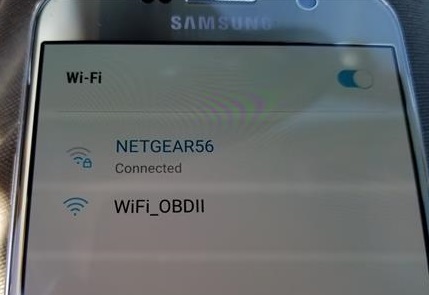
WiFi Options can also be found under Settings–>Connections–>WiFi.
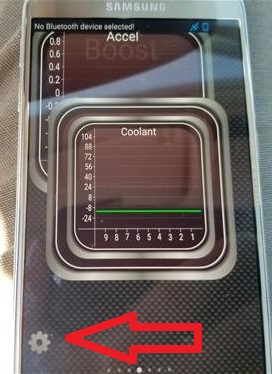
- Once Connected Open the Torque APP and click the Setting Icon at the bottom left.
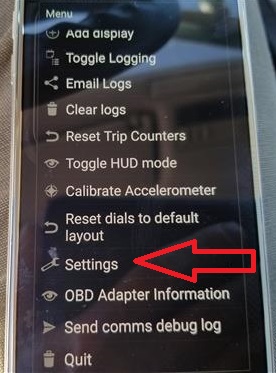
- At the next menu go to Settings
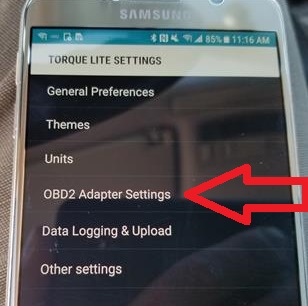
- Select OBD2 Adapter Settings
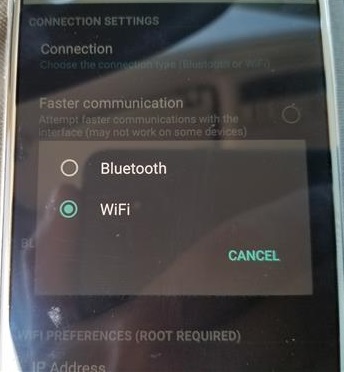
- At the top click on Connection
- Go back to the Torque App main menu and the top left will say Connected to ECU OK
Most all OBDII ports are under the driver side dashboard.
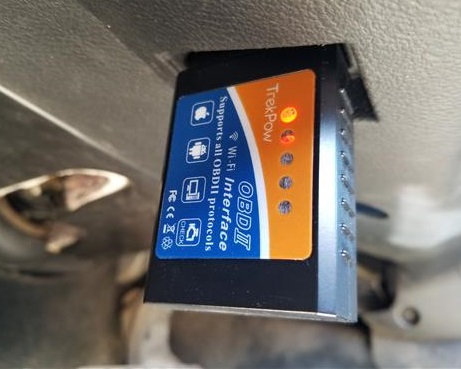
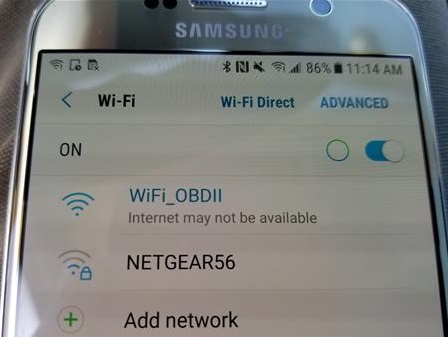
The adapter network is often named WiFi_OBD or WIFI_OBDII.
Note: Connecting to the adapter WiFi uses the phones WiFi so normal internet may drop until you disconnect.
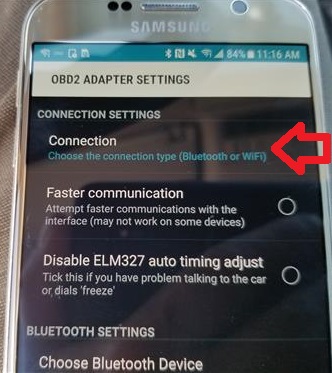
Choose WiFi if not already selected
Most adapters use IP 192.168.0.10 and port 35000 if Torque asks for WiFi settings.
Sometimes it takes it a moment to show connected depending on the adapter.
Once connected the App will be ready use reading and clearing codes.
How can I get my navigation screen to come up on my 2008 cts